¶ Obtaining a Slicer
There are many slicers freely available for download, but Rat Rig recommends using one of the following three, as they are widely adopted and have large, active communities:
-
PrusaSlicer (recommended): free and open-source, available here.
-
SuperSlicer: free and open-source, available directly from its GitHub repository.
-
OrcaSlicer: free and open-source, available directly from its GitHub repository.
-
A slicer converts 3D models (STL, OBJ, 3MF) into G-code instructions for your 3D printer.
For the V-Core 4.1, the Rat Rig V-Core 4.0 Profiles remain compatible. These profiles are designed to get you printing quickly and with high quality. While they are not fully tuned to extract the absolute maximum performance from your printer, they provide a solid foundation to build upon.
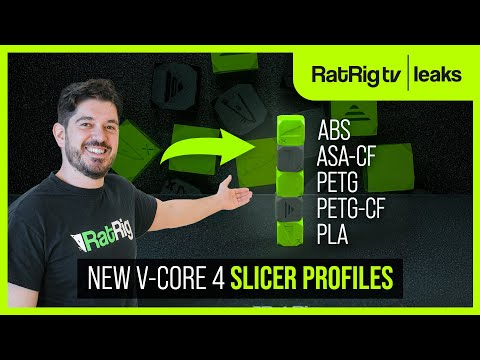
You can also check our latest YouTube walkthrough video, where we explain the newest Rat Rig updates for PrusaSlicer with the V-Core 4.0.
¶ 01. Slicer Configuration
- In PrusaSlicer, RatRig can be found under "Other Vendors."

-
Choose your machine within the correct machine family.
-
You can also add filament profiles.

Note! Rat Rig includes pre-tuned PunkFil profiles! Even if you are using other filament brands, we recommend using these profiles for the same material types. Many parameters, such as cooling, extrusion multiplier, and pressure advance, are already optimized. While they may not perform identically with different brands, they provide a solid starting point for fine-tuning.
¶ Add Your Machine — "Add physical printer" (Optional)
You can connect your machine directly to the slicer, allowing for a smoother workflow by sending the print job directly from the slicer software.

- Select your machine (1) and click on the gear next to it.
- Click "add physical printer" (2).
- Define a machine name (3).
- Select "Klipper (via moonraker)" and insert your machine url (4), created during the RatOS configuration.
- Click "Test" (5) to ensure your machine is connected to the Slicer, you should see a "Sucess!" window, otherwise check if your machine is connected to the same wifi network as your computer.
- Click "OK" (6).
¶ 02. How to Slice
Rat Rig provides predefined slicer parameters for all V-Core 4 models, which will produce optimal results in most cases. However, due to the inherent variability of 3D printing, certain parts with complex geometries may require adjustments to slicer settings to achieve the best print quality.
- Open PrusaSlicer and import the selected STL file by dragging it into the slicer (1).
- Next, select the print settings (2), which define parameters such as part strength, surface finish, resolution, and other relevant factors.
- Choose the filament type (3), which sets material-specific parameters such as printing temperature and cooling power.
- Select the machine size, variant, and nozzle size (4). Finally, click "Slice Now" (5) to generate the print file.

- After slicing, the slicer will generate a layer-by-layer preview of the printed part. You can use the vertical toggle (6) to inspect each layer individually. This feature helps identify potential geometry constraints that may need adjustments in the print settings. Simply drag the toggle up and down to review the layers. While this step is not required for printing, it is a useful habit as you become more familiar with slicer settings. Once satisfied, click "Export G-code" (7) to generate the print file. Then, upload it to Mainsail, and you're ready to start printing!

After finishing this guide you can print our Punkfil Mascot to see how your machine is performing, this is all the tuning you need to get started with very good results. Further tuning might be required to achieve a specific goal, other settings not approached here are not essential and can worsen the print quality if not done correctly.


¶ Learn More & Advanced Tuning
If you’d like to go further and gain a deeper understanding of machine calibration and RatOS-specific tuning, we highly recommend exploring the official RatOS documentation:
There you’ll find detailed guides, advanced configuration tips, and in-depth explanations to help you get the most out of your machine.